



Built entirely with Python, Virtual Mouse uses Computer Vision to translate your hand input into mouse control – when you’re too far away from your keyboard or your hands are covered in… grease – Virtual Mouse helps and prepares you for a touch-free age of computing.
Controls:
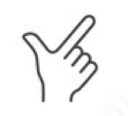
- Index finger up – move mouse
- Tap index finger and thumb together – left click
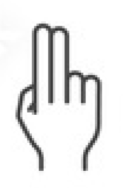
- Tap index finger and middle finger together – right click
- Thumb out – scroll up
- Pinky out – scroll down
- Tap index finger and thumb together, with middle finger out – double click
CLICK TO DOWNLOAD
You must click ‘Allow access to camera’ and allow control to the mouse through Privacy & Security > Accessibility.
Hand Poser Tool
- 0: WRIST
- 1: THUMB_CMC
- 2: THUMB_MCP
- 3: THUMB_IP
- 4: THUMB_TIP
- 5: INDEX_FINGER_MCP
- 6: INDEX_FINGER_PIP
- 7: INDEX_FINGER_DIP
- 8: INDEX_FINGER_TIP
- 9: MIDDLE_FINGER_MCP
- 10: MIDDLE_FINGER_PIP
- 11: MIDDLE_FINGER_DIP
- 12: MIDDLE_FINGER_TIP
- 13: RING_FINGER_MCP
- 14: RING_FINGER_PIP
- 15: RING_FINGER_DIP
- 16: RING_FINGER_TIP
- 17: PINKY_MCP
- 18: PINKY_PIP
- 19: PINKY_DIP
- 20: PINKY_TIP
00
01
11
10
00
1
1
1
1
01
1
1
1
1
11
0
1
1
1
10
0
1
1
0